

Mobile Device Management Solution (MDM)
India
Building a Secure & Scalable Mobile Device Management (MDM) Solution

Overview & Strategic Context
Period
1 Year
Business Model
Dedicated
Service Used
Mobile App Development
Enterprises today rely on hundreds of mobile devices for field operations, logistics, transportation, sales, and workforce management.
Without a proper Mobile Device Management (MDM) system, organizations face severe risks such as unauthorized data access, device misuse, policy violations, and loss of visibility.
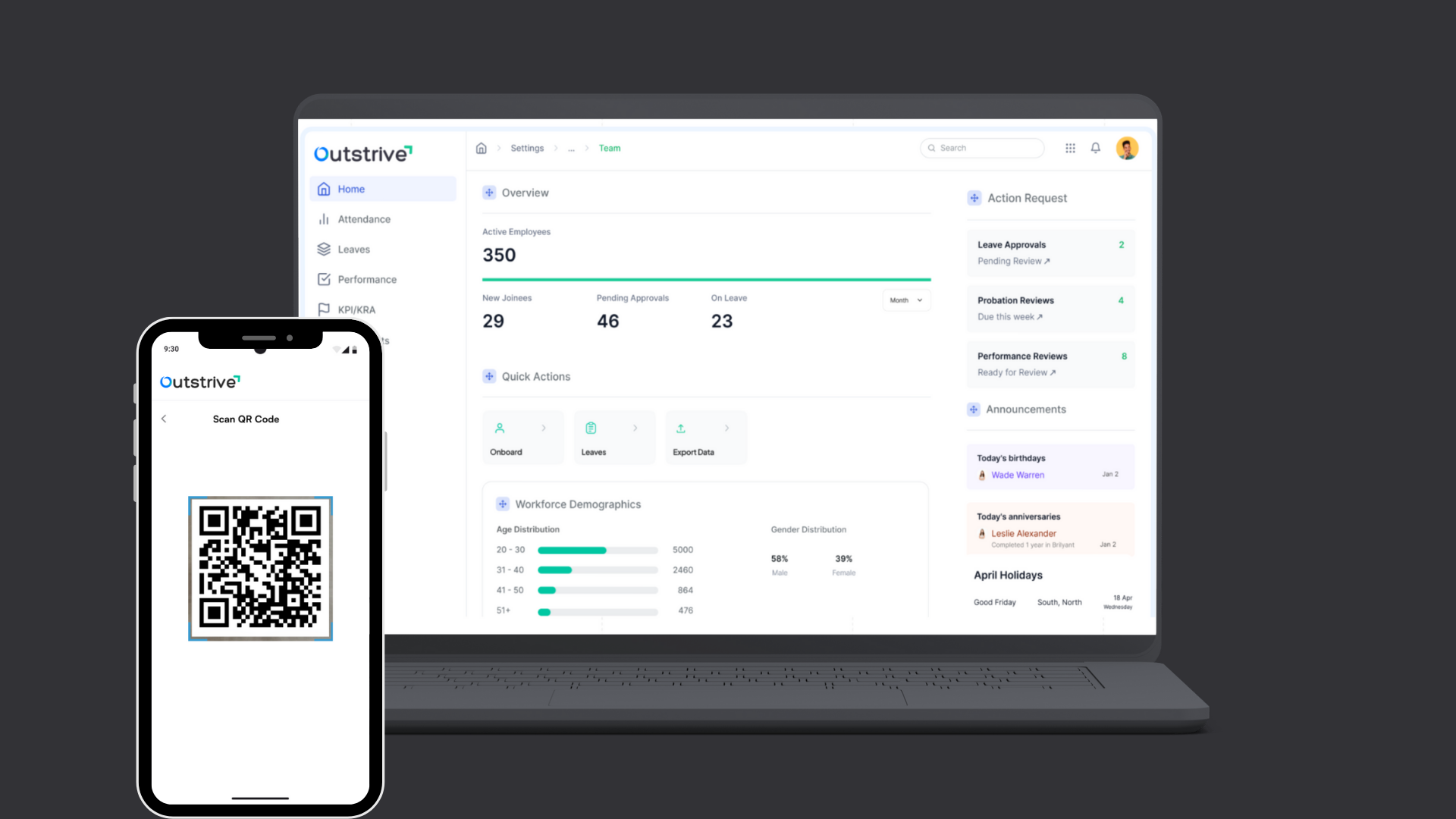
To solve this, our team engineered a robust Android MDM Mobile Device Management solution built to simplify device enrollment, remotely manage policies, ensure compliance, and integrate with backend systems.
This case study explains the entire solution—its features, architecture, security model, and business results.
Business Challenge
The enterprise needed a centralized MDM Mobile Device Management platform that could:
Onboard devices instantly
Display enterprise-level policies
Track device compliance
Trigger push notifications
Provide a read-only UI for Phase-1
Integrate with existing backend APIs
Use secure communication and minimal permissions
The objective was to deliver a lightweight yet scalable Phase-1 system that prepares the foundation for full MDM enforcement in Phase-2.
Build High-Performance Mobile Apps
Empower your business with custom mobile app development services designed for speed, scalability, and a seamless user experience.
Solution Overview: Android Mobile Device Management System (MDM)
What Is Mobile Device Management (MDM)?
Mobile Device Management (MDM) is a technology solution that allows organizations to remotely control, monitor, and secure mobile devices.
Our Android-based MDM platform includes:
Secure onboarding
Policy visibility
Device verification
Compliance monitoring
Push notifications
Backend-linked management
This ensures enterprise data protection and smooth operational control.
Key Features Implemented in Phase-1
Device Enrollment Methods
We enabled three flexible enrollment options within the Mobile Device Management (MDM) app:
QR Code Enrollment
Organization generates QR
Admin scans via device
Device auto registers with backend
App fetches policies
Compliance status shown instantly
6-Tap Method
Reset device
Tap screen 6 times during setup
Device automatically downloads the MDM app
Completes enrollment in minutes
Direct Download (Play Store / APK)
Install MDM mobile app
Enter unique enrollment key
Device securely connects to organization backend
Core Functionalities of the Mobile Device Management App (MDM)
Policy Display (Read-Only)
The app retrieves enterprise policies from backend APIs and displays them with non-functional toggles:
Camera Allow/Block (Read Only)
Bluetooth On/Off (Status Display)
Wi-Fi Restrictions
Microphone Access
VPN Enforcement
USB/File Transfer permissions
Battery Optimization rules
Although these do not enforce actions in Phase-1, they provide a complete preview of the future policy controls.
Real-Time Firebase Push Notifications
The MDM Mobile Device Management system uses Firebase for delivering alerts like:
Policy Applied
Device Enrolled
Compliance Warning
Unauthorized App Detected
VPN Disconnected
Remote Lock/Wipe Status
Data Usage Alerts
User Role Updates
Mandatory App Installation Updates
Notifications help admins and users stay updated in real time
App Dashboard & User Interface
The MDM interface shows:
Enrollment Status: Enrolled / Not Enrolled
Organization Name
Enterprise ID
Active Policy List
Compliance Status
Additional UI Screens:
QR Code Enrollment Screen
Policy Display Screen
Notifications List
Device Information
Security Requirements in the Mobile Device Management System (MDM)
Secure Enrollment Flow
The QR-based authentication ensures:
Encrypted onboarding
Valid organization mapping
Token-based validation
Prevention of unauthorized enrollment
Minimal Permissions for Phase-1
Only essential permissions are requested, such as:
Camera (for QR scanning)
Device Information
Notification Access
Advanced controls like Wi-Fi blocking, camera disabling, VPN control, and USB restrictions will be executed in Phase-2 using Android Device Owner mode.
App Behavior Summary
| App Action | Result |
|---|---|
| Scan QR Code | Registers device under the organization |
| Fetch Policies | Displays enterprise policies (read-only) |
| Compliance Status | Shows “Compliant / Not Compliant” |
| Notifications | Alerts for policies, enrollment, security |
| Dashboard Updates | Shows company details + active rules |
Business Impact of the Mobile Device Management System (MDM)
The implementation of the custom Mobile Device Management (MDM) solution delivered measurable value:
Faster Device Enrollment (Up to 75%)
QR and 6-tap methods reduced setup time dramatically.
Centralized Visibility
Admins gained full visibility into all enrolled devices, policies, and users.
Compliance Awareness
Even without Phase-2 restrictions, the read-only policy display helped teams understand security expectations clearly.
Strong Foundation for Phase-2
Architecture is ready for enforcement features including:
Camera Block
VPN Enforcement
Wi-Fi Control
Screenshot/Screen Recording Block
Remote Wipe
App Installation Control
Real-Time Communication
Users receive instant updates about compliance, security, policy shifts, and role changes.
Conclusion
The customized Android Mobile Device Management (MDM) solution successfully addressed the enterprise’s need for secure device onboarding, centralized policy visibility, compliance monitoring, and seamless backend integration.
Phase-1 created a scalable architecture, enabling the organization to move smoothly toward advanced MDM capabilities in Phase-2.
This case study demonstrates that strategic planning, modular development, and security-first design can transform enterprise mobile operations and strengthen device governance.
Transform Your Mobility Management
Implement a scalable MDM Mobile Device Management solution to improve compliance and control across all devices.
Mobile Device Management (MDM) FAQs
Find answers to the most frequently asked questions about our Mobile Device Management (MDM) solution. If your query isn’t listed here, feel free to reach out — our experts are ready to assist you.